
Some devices like F5 Load Balancers have very long OID's and lowering the number of OID's requested at once from them can improve performance and reliability.
We suggest lowering the MaxOID's to 10 and then rewalking the devices that experience trouble.
This will limit the number of items in a single polling request.To do this please perform the following steps:
- Select the device in the Console GUI "Device Filter" list and run the General section > Device Details Report.
- Click the SNMP Credentials.
- Change SNMP MaxOID to 10 in the box that opens and click the "Save" button.
e.g.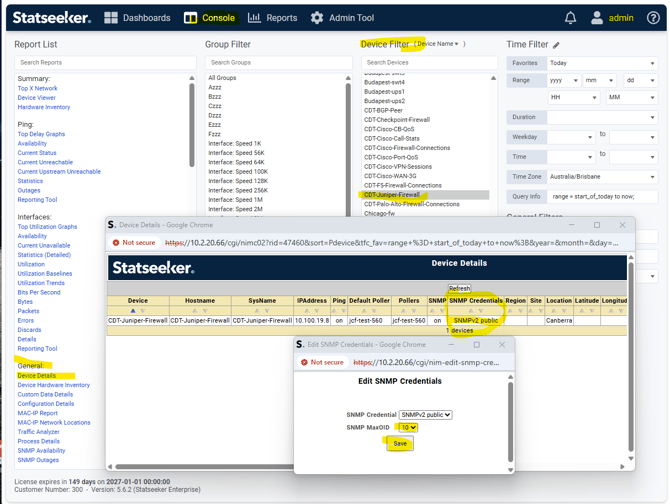
- Then rewalk the device by selecting the device again in the Console GUI "Device Filter" list and open the Summary section > Device Viewer.
- Then click "Discovery" and then "Rewalk > "Run Now"" (This process may take a few minutes to complete).
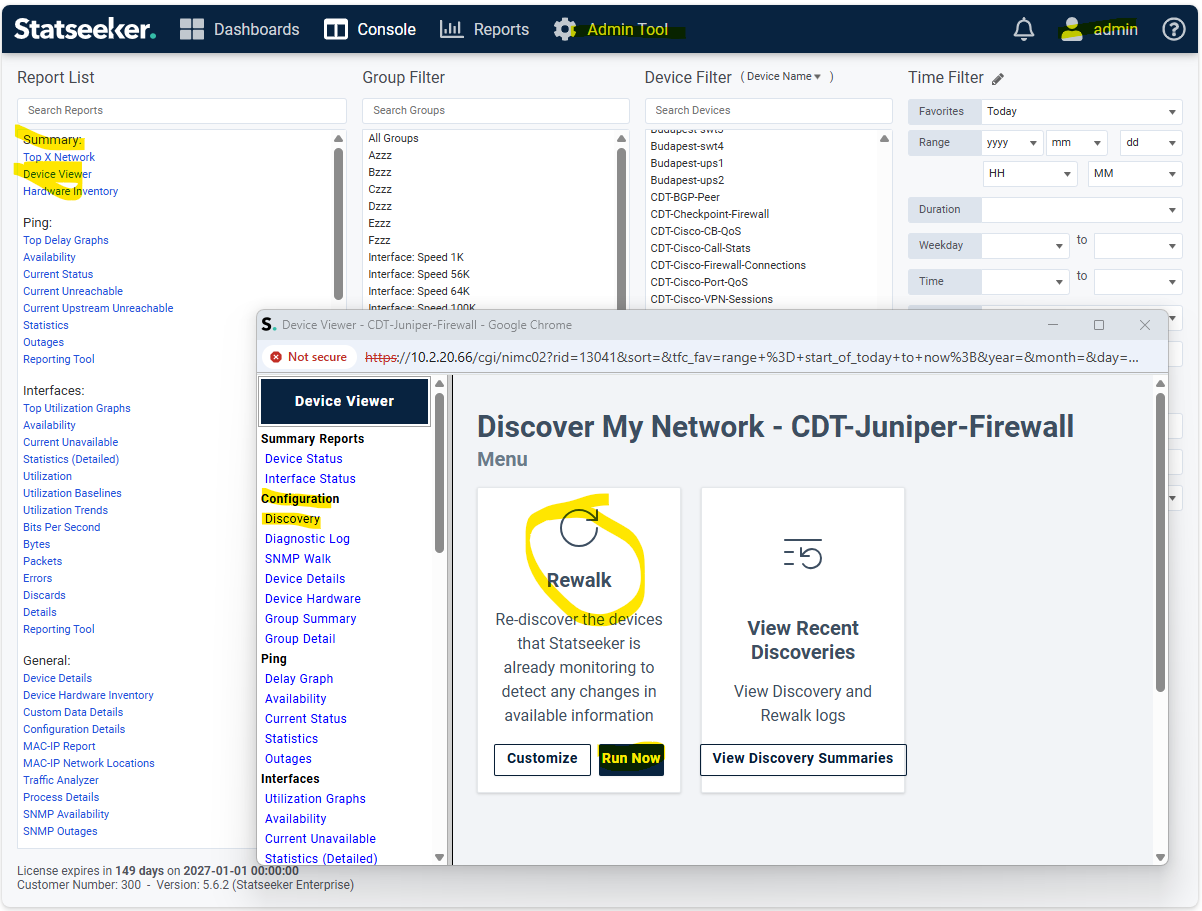
Another thing to check after this is if there are any errors in the build log for the device type.
e.g. For F5 Loadbalancers
To do this please go to the /home/statseeker/nim/logs directory on the command line as statseeker and grep for "f5_loadbalancer" in the logs.
statseeker $cd /home/statseeker/nim/logs

statseeker $ grep f5_loadbalancer build.*

statseeker $ zgrep f5_loadbalancer build.*