
To exclude a device from MAC-IP collection:
- Go to the Administration GUI and open the "Entities to a Group" page in the "UserProfile/Grouping" section.
- Create a new group (Add) for the devices you wish to exclude from the MAC-IP collection and add the devices you wish to exclude to it (no saving required on this page):
e.g.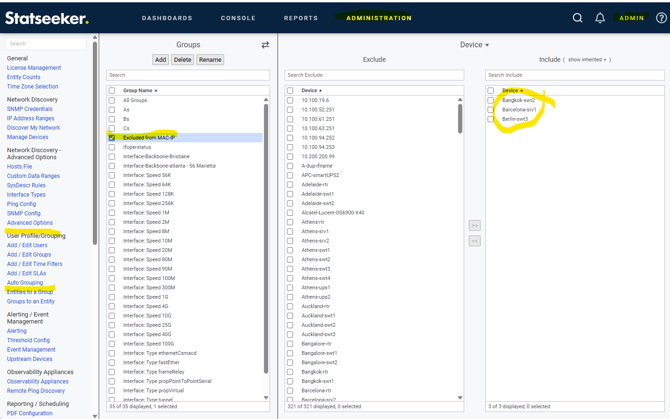
- Then go to the "Auto Grouping" page in the same section.
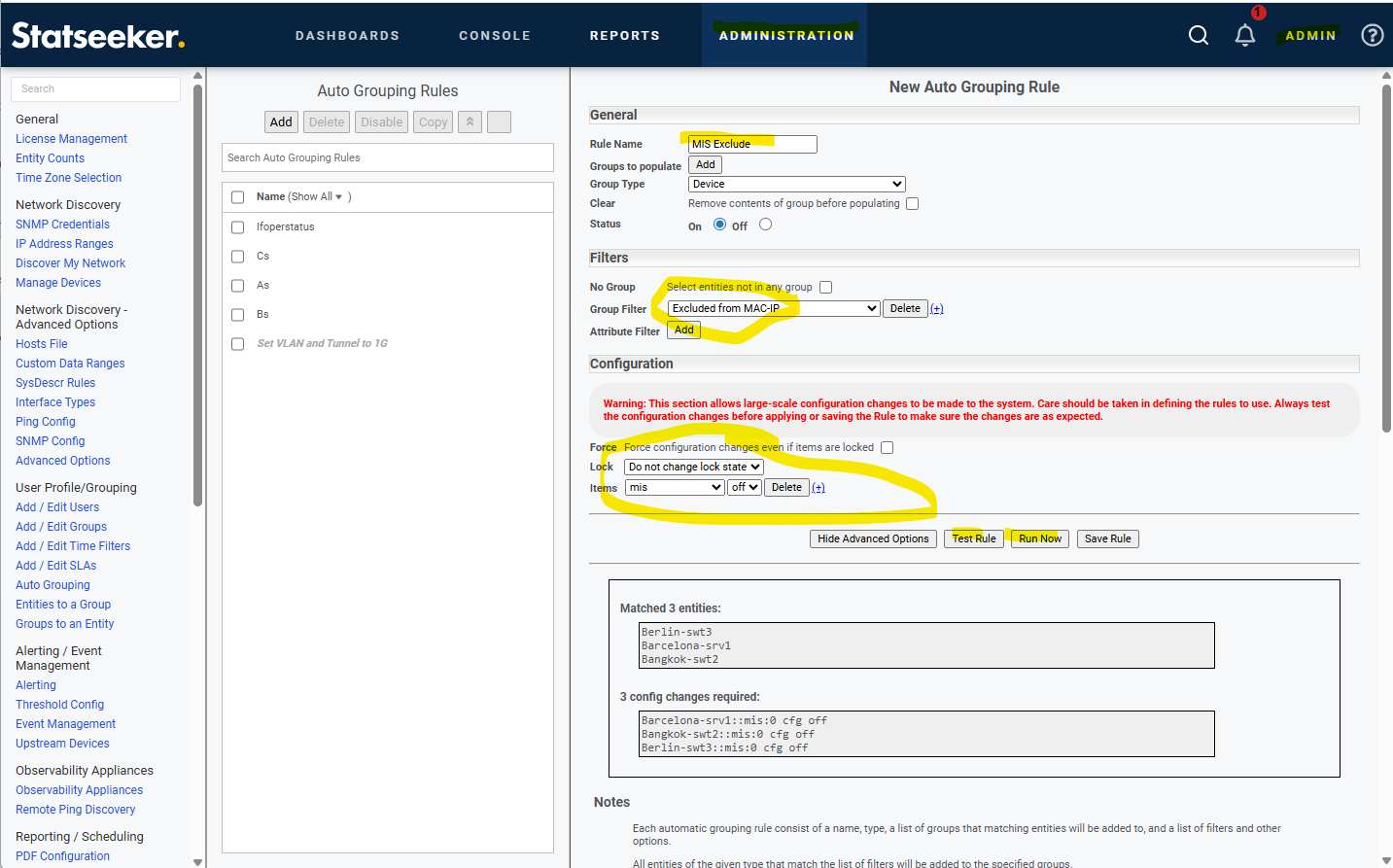
- On this page click the "Add" button.
- Give the rule a name in the "Rule Name" box.
- In the Filter section use the "Group Filter" drop-down to select the group you made on the "Entities to a Group" page.
- Then click the "Show Advanced Options" button.
- In the "Configuration" section that opens click the "Add" button.
- Use the "Items" drop-down to select "mis" and change the state drop-down next to it to "off".
- Use the "Test Rule" button to confirm which devices will be changed.
- If you are happy with the test, click the "Run Now" button and the devices in the group will be excluded from MAC-IP collection.
You can save the rule and leave it either disabled(off) or enabled(on) if you wish but no other process will change the "mis" state so there is no need to save it if you only wish to make this change once.