
To configure statseeker to collect syslog:
- First check that syslog is enabled on the Statseeker host's interface that the syslog will be collected on:
To do this go to the "Admin Tool/Administration" tab and then the "Statseeker Administration" section "Network Configuration" page and click the blue "Edit" link at the top right. Then expand the interface config (Edit) and check that it shows "Syslog Collection - On".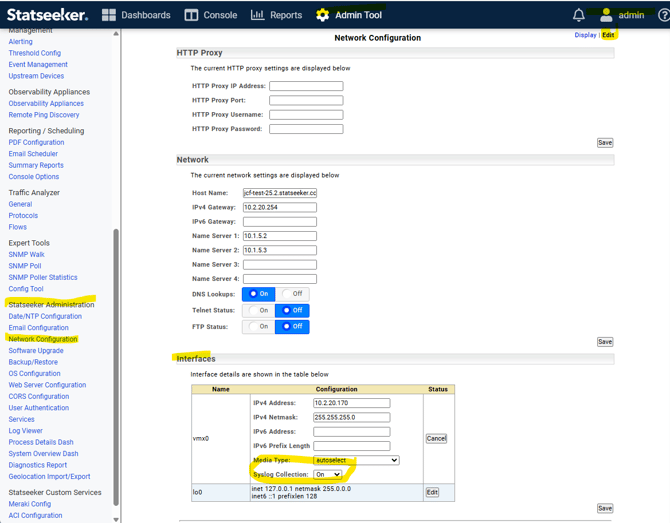
- Then configure the device to send syslog to port 514 at the Statseeker host.
- Please also ensure that the device is not producing excessive amounts of syslog messages as some firewalls and access points can produce a lot and this may fill Statseekers file system quickly.
- Please also set the syslog retention period again to ensure that the file system does not become full.
To do this please go to the "Admin Tool/Administration" tab and select the "Advanced Options" page in the "Network Discovery - Advanced Options" section and set the retention period in the History section for "Keep Syslog History For" box by entering the "File Edit Mode" by clicking the button at the bottom of the page. Then use the "Save" button to retain the setting.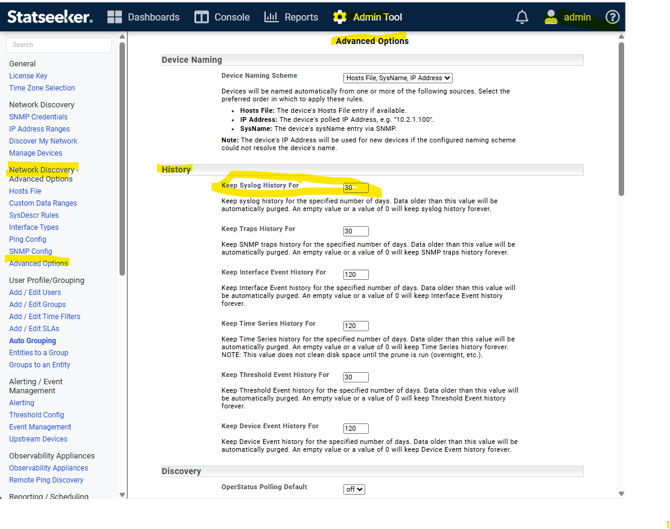
Please note that any changes to the History settings will take effect when crontab runs the nim-db-tune process which by default is at 00:30. - An alternative is to increase the Statseeker host's resources to meet the collection and storage requirements. The resource use is not easy to predict and will require monitoring to ensure there are enough to meet the load.
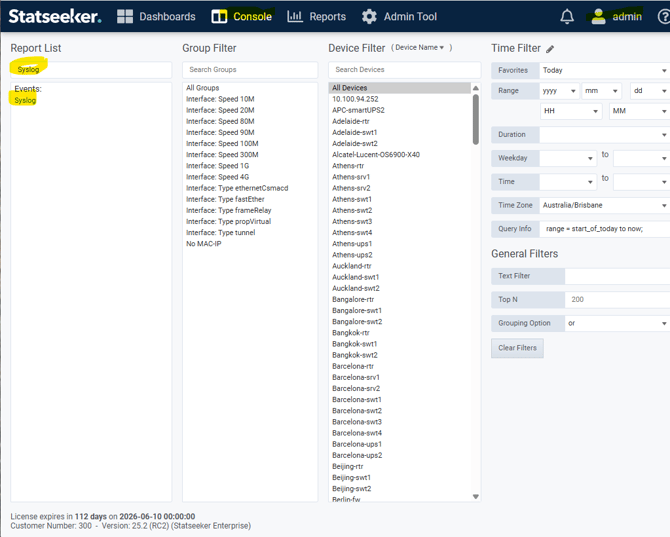
- Please use the Syslog report in the Console tab to check the messages are being recieved:
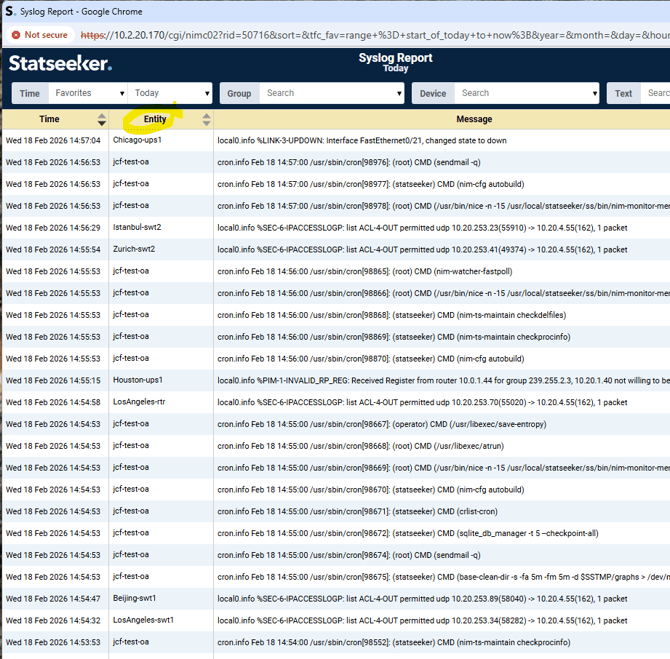
Please also note that if the device's name is showing as "unknown" in the Syslog report then it is because it has not been added as a device to Statseeker.
If you want the device's name in the Syslog report please add it as "ping only" device.