
To enable MAC-IP collection please go to the Administration GUI as an Admin and select the "Advanced Options" page in the "Network Discovery - Advanced Options" section.
On this page please check that MAC-IP collection is enabled in the Reports section:
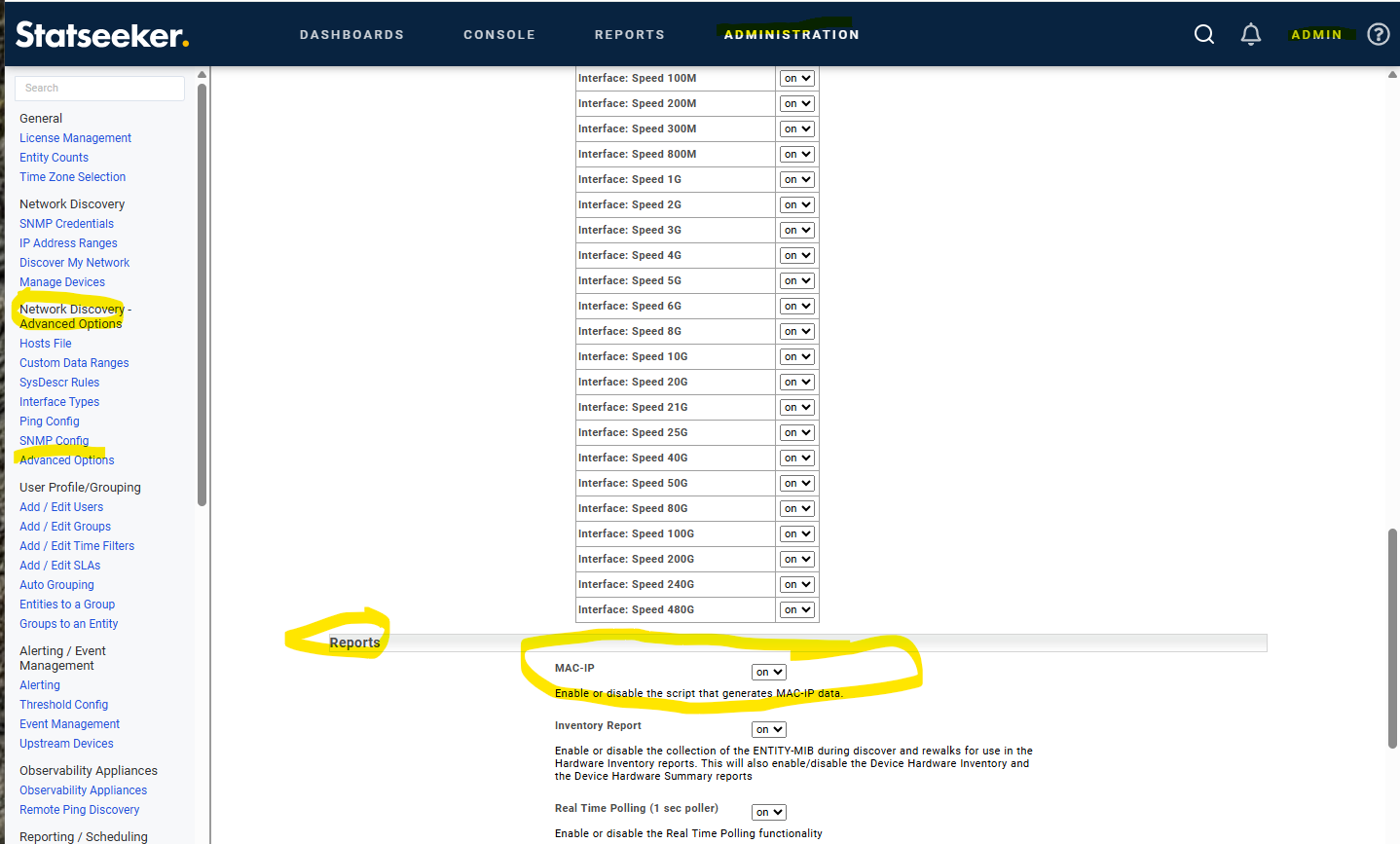
If you need to change the setting please click the "Save" button at the bottom of the page before exiting.
To check whether the MAC-IP collector is running go to the Administration GUI tab and go to the "Log Viewer" page in the "Statseeker Administration" section.
On this page use the default Logfile (Statseeker Messages) and Filter for "MAC-IP" and then click the "View" button:
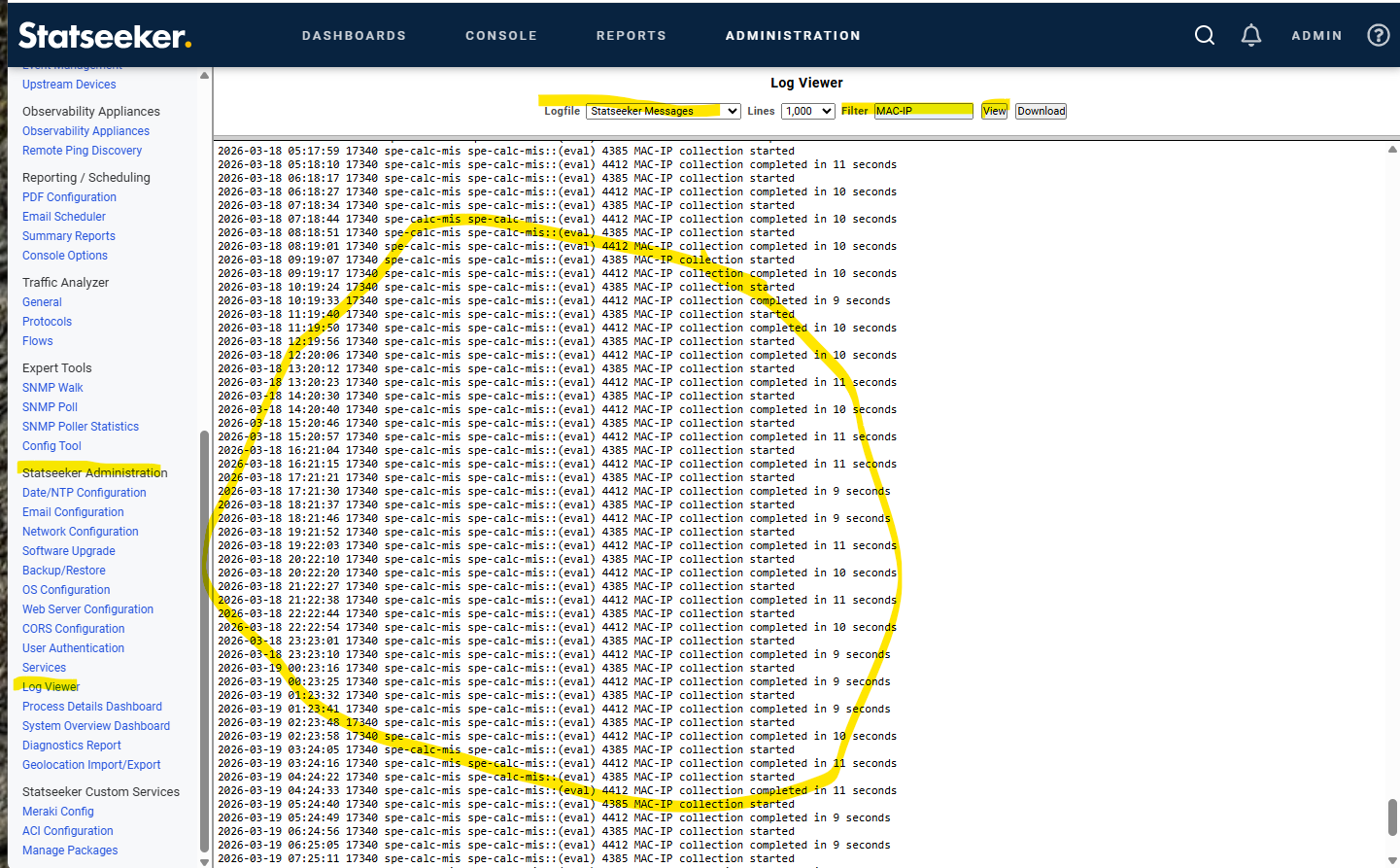
You should see lines like
2026-03-19 11:26:19 17340 spe-calc-mis spe-calc-mis::(eval) 4385 MAC-IP collection started
2026-03-19 11:26:30 17340 spe-calc-mis spe-calc-mis::(eval) 4412 MAC-IP collection completed in 11 seconds
2026-03-19 12:26:37 17340 spe-calc-mis spe-calc-mis::(eval) 4385 MAC-IP collection started
2026-03-19 12:26:47 17340 spe-calc-mis spe-calc-mis::(eval) 4412 MAC-IP collection completed in 10 seconds
2026-03-19 13:26:54 17340 spe-calc-mis spe-calc-mis::(eval) 4385 MAC-IP collection started
2026-03-19 13:27:04 17340 spe-calc-mis spe-calc-mis::(eval) 4412 MAC-IP collection completed in 10 seconds
2026-03-19 14:27:10 17340 spe-calc-mis spe-calc-mis::(eval) 4385 MAC-IP collection started
2026-03-19 14:27:22 17340 spe-calc-mis spe-calc-mis::(eval) 4412 MAC-IP collection completed in 12 seconds
You can also check to see if the MAC-IP collector is running via the command line by checking for the process "spe-calc-mis".
statseeker$ ps -auwx | grep spe-cal
statseeker  9351   0.0  0.4     162528  66484  -  I    16:10      0:21.44 spe-calc-mis
statseeker 56056   0.0  0.0      13916   2268  0  S+   10:24      0:00.00 grep spe-cal
The MAC-IP collector can also be checked from the command line using "spe-calc-mis test":
e.g.
statseeker:~ $ spe-calc-mis test
MIS Full data output to: /home/statseeker/nim/tmp/mistar/mis-all-300-004-2026-03-20_1110.tgz
MIS MIS only data output to: /home/statseeker/nim/tmp/mistar/mis-run-300-004-2026-03-20_1110.tgz
For information on how the MAC-IP collection timing works please see the Statseeker Knowledge Base Article "How does the MAC-IP collector timing work".