
By default Statseeker only shows report for which it has data.
You can "turn on" all the reports by:
-
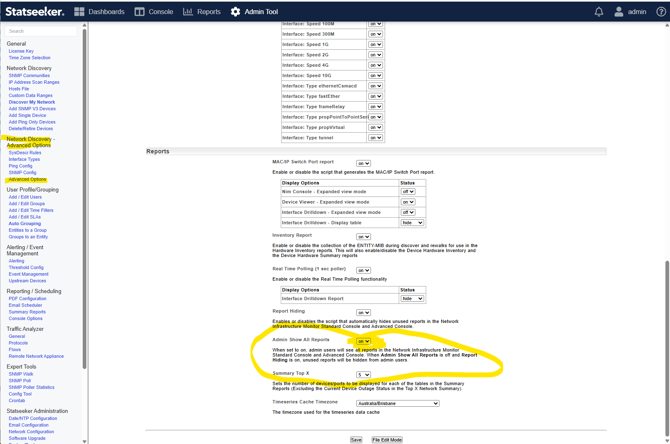
Go to the Admin tab and open the "Advanced Options" page in the "Network Discovery - Advanced Options" section
-
Change the "Admin Show All Reports" setting to "on" and apply the change with the "Save" button at the bottom.
Please note that this may cause some confusion as there may be many reports that show no data as the data types they display are not being collected by Statseeker.